How to Increase Typing Speed…
One of the most common questions people ask today is how to increase typing speed without sacrificing accuracy. Typing is something many of us do every day, whether we’re writing assignments, answering emails, working online, chatting with friends, or entering data. Yet, even after years of using a keyboard, many people still struggle with slow typing speed or frequent mistakes. The good news is that with the right technique and regular practice, you can gradually type faster, make fewer mistakes, and become more confident at the keyboard.
The good news is that typing faster is not simply a matter of having “fast fingers.” With the right technique and regular practice, you can improve both your typing speed and accuracy.
In this guide, you will learn 10 practical ways to increase your typing speed and build better keyboard skills.
What Is Typing Speed?
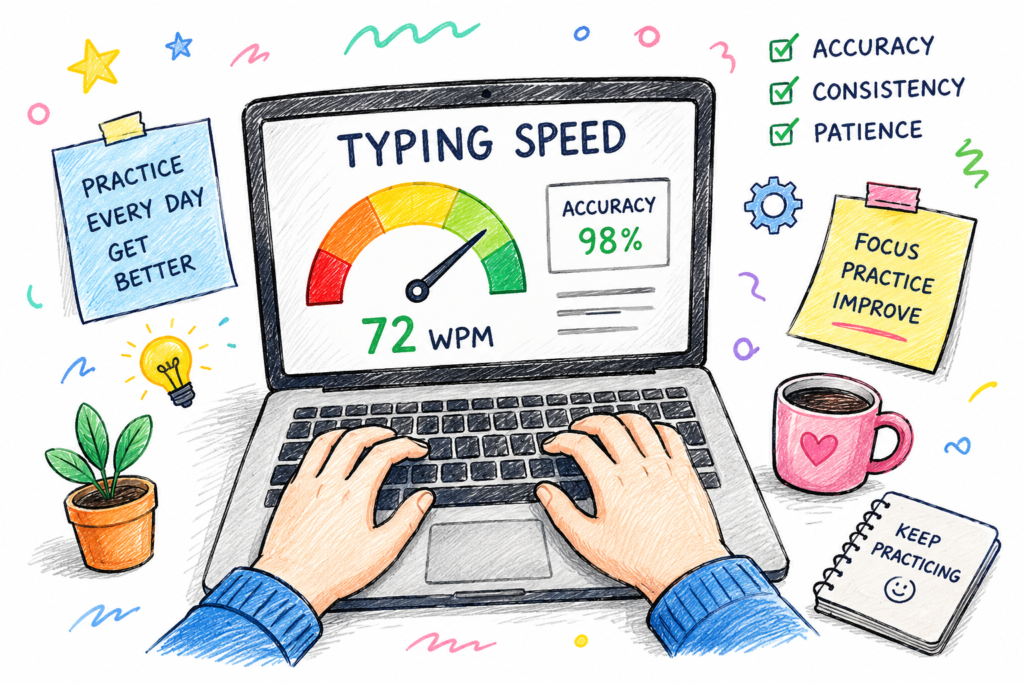
Typing speed is commonly measured in words per minute (WPM). It tells you approximately how many words you can type in one minute.
For example, if you type 40 words in a minute, your typing speed is around 40 WPM.
However, speed is not everything. Accuracy matters just as much. Typing extremely fast while making many mistakes can actually make you less productive because you have to stop and correct those mistakes.
A good goal is to gradually increase your WPM while keeping your accuracy high.
- Learn Proper Finger Placement
One of the biggest improvements you can make is learning where your fingers should rest on the keyboard.
For touch typing, your fingers generally begin on the home row:
- Left hand: A, S, D, F
- Right hand: J, K, L, ;
- Thumbs: Space bar
The small raised marks on the F and J keys can help you find the correct position without looking down.
Once your fingers become familiar with their positions, you will spend less time searching for individual keys.
- Stop Looking at the Keyboard
Looking down at the keyboard while typing may feel comfortable at first, but it slows you down.
Instead, try to keep your eyes on the screen and rely on muscle memory.
You probably already do this with some common keys. The goal is to gradually develop the same familiarity with the entire keyboard.
It may feel slower when you first start, but with consistent practice, your fingers will begin finding the keys automatically.
- Focus on Accuracy Before Speed
One common mistake is trying to type as fast as possible from the beginning.
Don’t worry if your WPM temporarily decreases while you are learning proper technique.
Focus on typing words correctly. Once your accuracy improves, speed usually becomes easier to build.
A useful approach is:
Accuracy → consistency → speed
Instead of:
Speed → mistakes → corrections → frustration
- Practice Every Day
You don’t need to spend hours practicing.
Even 10–15 minutes of focused typing practice every day can be more useful than doing one long practice session once a week.
Try to make typing practice part of your daily routine.
For example:
- 5 minutes of warm-up
- 5 minutes of typing practice
- 5 minutes of speed testing
The key is consistency.
- Use a Typing Speed Test
A typing speed test gives you a simple way to see where you currently stand.
You can measure things such as:
- – Words per minute (WPM)
- Typing accuracy
- Time taken
- Mistake
- Progress over time
If you want to check your current performance, you can use Typon, an online typing practice and speed-testing tool. Instead of guessing whether you are getting faster, you can use actual results to track your performance.
The important thing is not to become obsessed with one score. Look at your progress over several practice sessions.
- Practice Common Words and Sentences
You don’t always need complicated exercises to improve.
Typing normal words and sentences can help you develop useful muscle memory because you repeatedly encounter the same letters and combinations.
Pay attention to words that consistently slow you down.
For example, if you regularly make mistakes with certain letter combinations, practice those combinations separately before returning to full sentences.
- Keep Your Hands and Body Comfortable
Your typing technique is not only about your fingers.
Try to maintain a comfortable posture:
- Keep your back reasonably straight.
- Relax your shoulders.
- Keep your wrists in a comfortable position.
- Avoid pressing the keys harder than necessary.
- Keep the keyboard at a comfortable height.
If your hands become tense, take a short break
Relaxed hands can make typing feel smoother and more natural.
- Don’t Chase WPM Too Aggressively
It can be tempting to compare your typing speed with other people.
Someone might type 80 WPM while you type 35 WPM. That doesn’t mean you are doing badly.
Typing speed depends on experience, keyboard familiarity, language, technique, and the type of text being typed.
Instead of asking, “Why am I slower than them?”
Ask: “Can I improve my own score?”
If you are currently typing 35 WPM, reaching 40 WPM is already meaningful progress.
- Practice With Different Types of Text
Once basic typing becomes comfortable, don’t practice only the same type of exercise.
Try different material:
- Short sentences
- Long paragraphs
- Numbers- Punctuation
- Conversations
- Articles
- Technical words
This helps you become comfortable with different typing situations rather than memorizing a particular exercise.
- Track Your Progress
Improvement becomes much easier to recognize when you keep track of your results.
Week 1: 32 WPM
Week 2: 35 WPM
Week 3: 38 WPM
Week 4: 42 WPM
Your progress may not always be this consistent. Some days your score might even drop.
That’s completely normal.
Look at the overall trend rather than judging yourself based on a single test.
How Long Does It Take to Type Faster?
There is no exact amount of time that applies to everyone.
Someone who practices regularly may notice improvement within a few weeks, while developing strong touch-typing skills can take considerably longer.
Your progress depends on your starting speed, technique, practice routine, accuracy, and how consistently you practice.
The important thing is to practice correctly and consistently rather than trying to improve overnight.
What Is a Good Typing Speed?
There isn’t one universal typing speed that everyone needs.
For general computer use, a moderate WPM can be perfectly comfortable. People who regularly write, code, perform data entry, or work with large amounts of text may benefit from developing a much higher speed.
Rather than focusing on a single “perfect” WPM, set a realistic target based on your current ability.
For example:
- Current: 30 WPM
- Next goal: 40 WPM
- Later goal: 50 WPM
Small goals make improvement easier to measure.
Start Practicing With Typon
Reading about typing techniques is useful, but the real improvement comes from practice.
After learning these techniques, test yourself regularly and see whether your WPM and accuracy are improving.
Typon gives you a simple way to practice typing and check your performance. You can use your results as a reference point and continue practicing to gradually improve your speed.
The goal isn’t to become extremely fast in one day.
The goal is to become a little faster and more accurate than you were yesterday.
Final Thoughts:
Increasing your typing speed doesn’t require special equipment or complicated training.
Start by learning proper finger placement, stop looking at the keyboard, prioritize accuracy, and practice consistently. Then use typing tests to measure your progress and identify areas that need more work.
Most importantly, be patient.
Typing is a skill built through repetition. The more correctly you practice, the more natural keyboard typing becomes—and over time, your speed can follow.
Ready to find out your current typing speed? Try Typon and see how fast and accurately you can type.